Click and type
x = 4
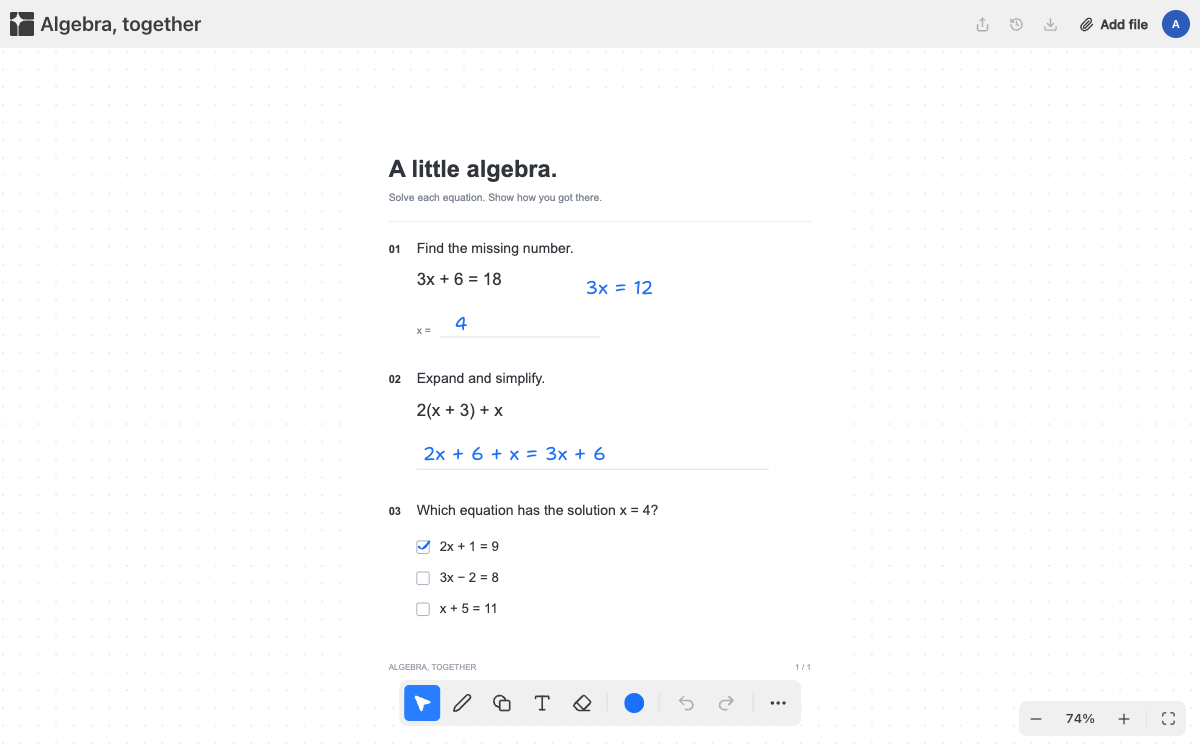
Type on the page, add math that looks right, and let it save itself. On a Chromebook, a Windows laptop or a Mac, in any modern browser.
x = 4
Area = 12 cm²
Writing with a trackpad is slow, and most worksheet tools treat typed text as an afterthought. On a laptop, typing is how the work gets done, so the keyboard has to be enough: click where the answer goes and type it. Text blocks can carry formatting, and exponents and subscripts can be typed without reaching for a menu.
For anything harder, add a typeset expression, a graph or a table right on the page. If you do have a touch screen or a stylus, those draw too.
Because nothing is installed and nothing lives in a downloads folder, it does not matter which computer you sit down at. Sign in and your boards are there. On a computer that is not yours, sign out when you finish.
If you use it without an account, the board stays in that one browser, so sign in to keep it if you are on a shared machine.
Pappper runs in the browser with nothing to install, so a Chromebook with a current version of Chrome is all it asks for.
Yes. Type expressions with the math tool, and use it alongside graphs and tables on the same page.
Yes. PDFs, Word documents and images all land on the board the same way.