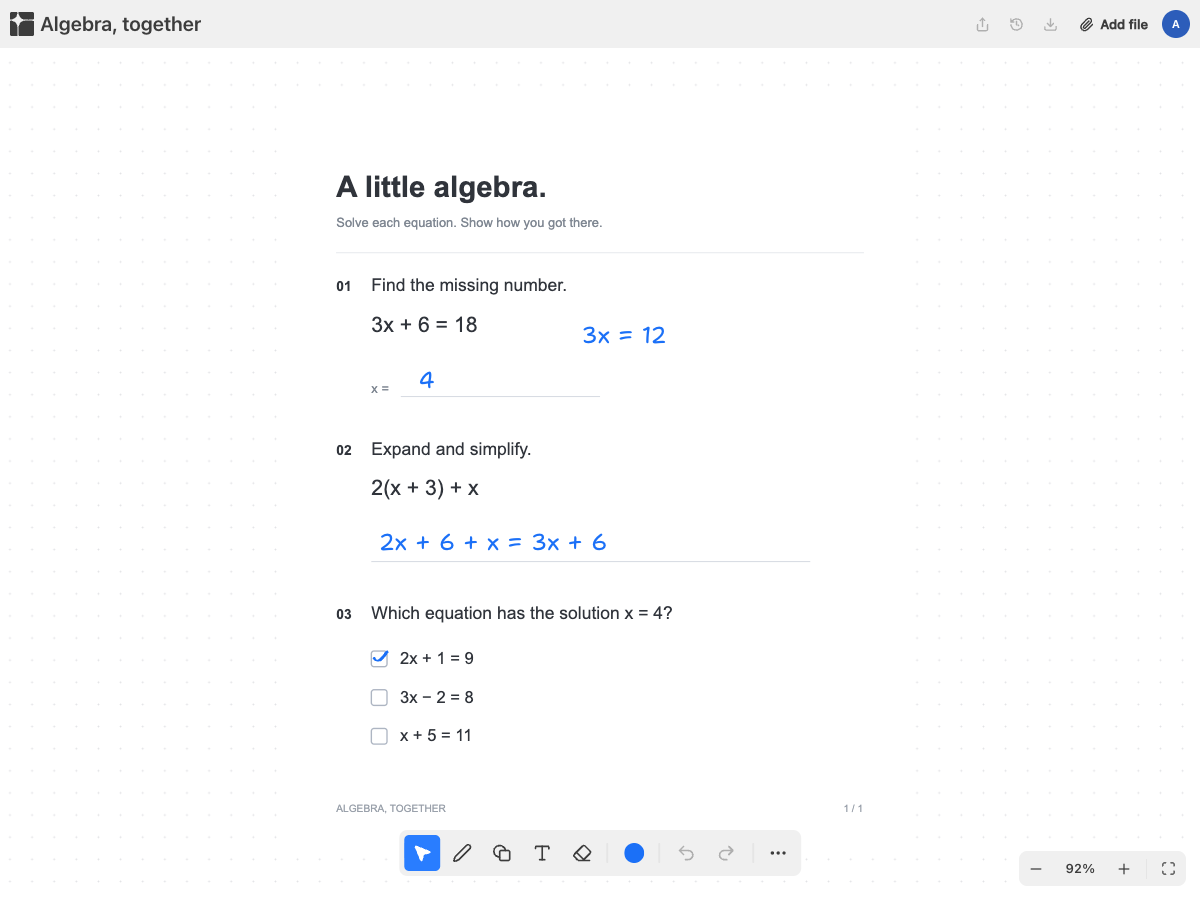
Your worksheets, on your iPad.

Open a worksheet in Safari and write on it with Apple Pencil or your finger. Nothing to install, and it is on your laptop too when you get home.

Write with a stylus or a finger

Two fingers to move and zoom

The same board on every device

No app, no storage to manage

Pappper runs in the browser, so there is nothing to install and no space to free up on a school iPad. Open the page, upload the worksheet from Files or from a photo of the sheet, and start.

With an account, your worksheets live there rather than on the device. Finish on the iPad in class, then open the same board on a laptop at home, with no export or AirDrop in between.

How touch works

The Pencil draws with the tool you have picked, and so does your finger if you have no stylus. Two fingers move and zoom, so you can pinch in on a small blank, write, and pinch back out.

If a resting hand leaves a mark on the page, one undo removes it. Pappper needs a connection to save to your account, which matters more on a tablet than anywhere else: check that you are online before you start a long worksheet.

Is this instead of a notes app?

Maybe not. If you already keep handwritten notes in a native app and you work offline, keep it. Those apps are built for that, and our comparison with Goodnotes says so. Pappper is for when the task is a worksheet: you want it on any device, shared with a classmate, and with AI that can see the exercise.

Questions,
answered

Do I need to install an app on my iPad?

No. It runs in the browser. You can add it to your home screen if you want it to open like an app.

Does it work with Apple Pencil?

Yes. Apple Pencil, other styluses and your finger all draw on the page.

Can I use it without an internet connection?

Not reliably. Pappper is a web app and needs a connection to load and to save to your account.