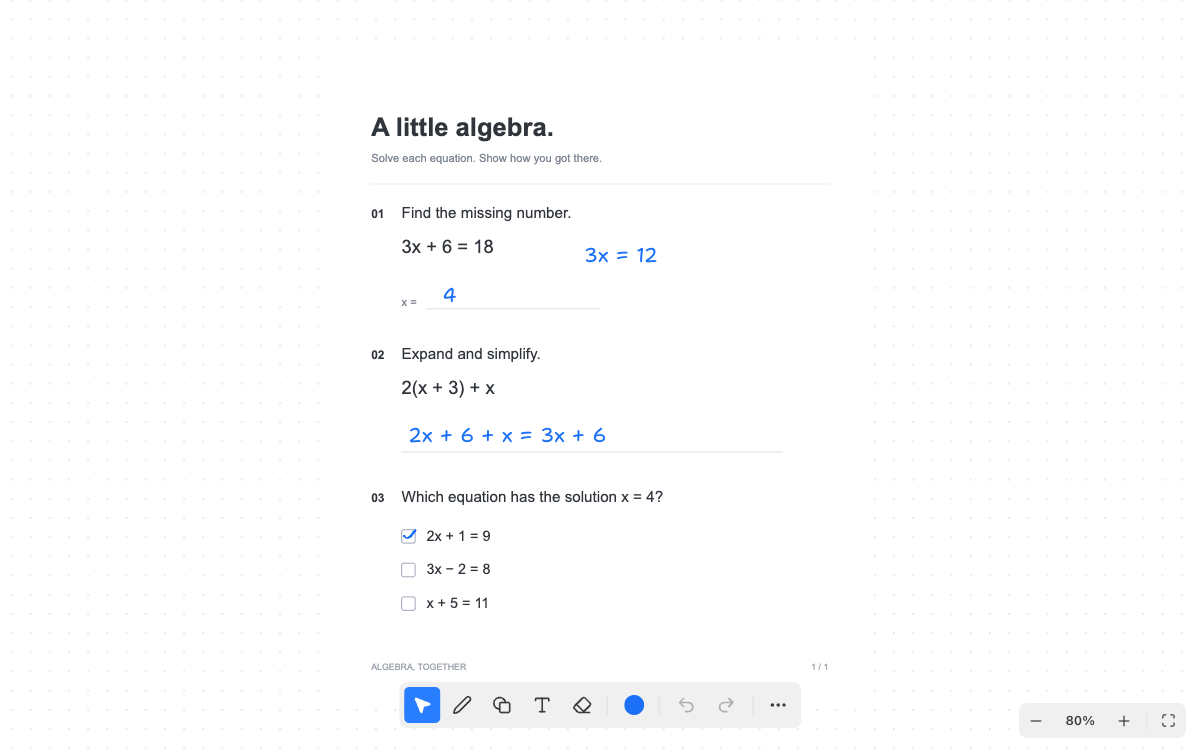
One worksheet. Everyone on it, live.

Share a link and work on the same page together, seeing each other’s cursors and every change as it happens.

See who is here

Every stroke arrives as it happens

Go back through the history

Made for explaining

Point things out with a laser

Time your study sessions

Type out any equation

Stop sending versions around

Group work on a PDF usually means one person holding the file while the others read answers out loud, or a chain of copies with names like final_v3. A board has none of that. Everyone opens the same worksheet, and every change is on everyone’s screen as it is made.

You can see who is there and where they are working, so two people do not end up on question four at the same time. The laser pointer shows the others what you mean without leaving a mark, and a timer can run for the whole group.

Good for tutoring too

A tutor and a student can both write on the same exercise, wherever each of them is. Upload the worksheet, send the link, and talk it through on your usual call. Pappper does not include voice or video.

How sharing works

The owner of a board creates an invitation link. Anyone who opens it while signed in joins the board and finds it in their own library, so everyone needs a free account. Boards with several people survive anyone leaving, and the version timeline records who edited what and when, so a mistake can be undone.

Questions,
answered

Does everyone need an account?

Yes, a free one. Anyone who opens the invitation while signed in joins the board.

What happens if someone deletes a shared board?

Deleting a shared board only removes it from that person’s library. The board stays for everyone else.